
Download Commander One PRO – Dual‑Panel Mac File Manager
If you spend a lot of time juggling files, archives, and remote servers on macOS, a powerful file manager can turn a chaotic workflow into a streamlined experience. Commander One PRO delivers exactly that with a native dual‑panel interface, deep‑integration with macOS, and a suite of advanced utilities designed for power users. In this review we’ll explore what makes Commander One PRO stand out, walk through the installation process, and answer the most common questions so you can decide whether this tool is the right addition to your Mac toolbox.
Overview – A Modern File Manager Built for macOS
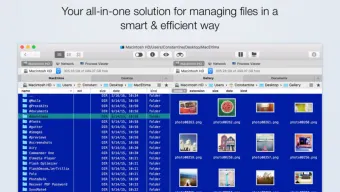
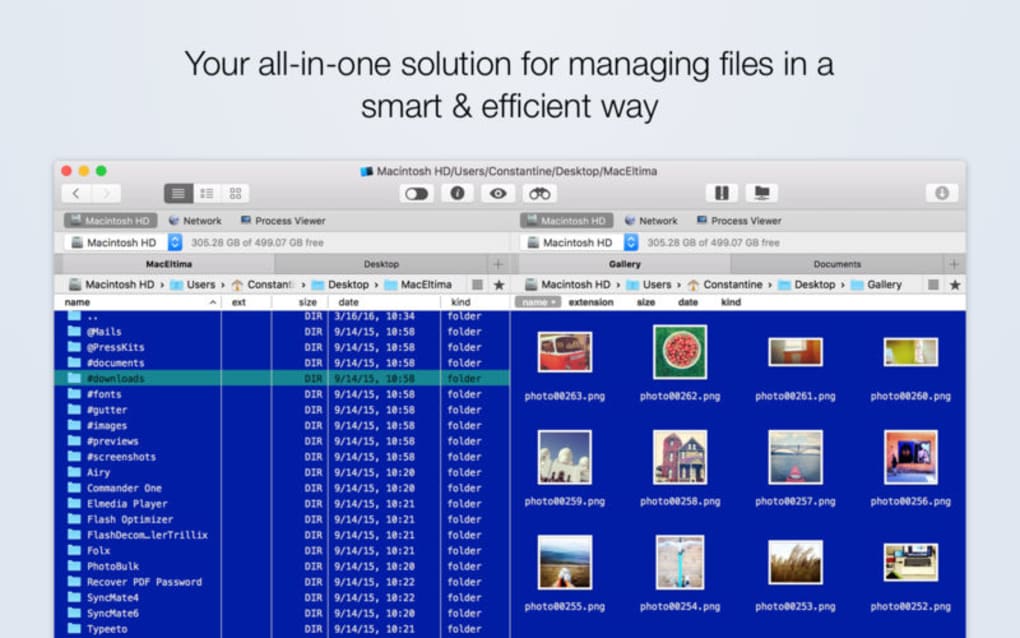
Commander One PRO is a commercial file manager for macOS written entirely in Swift, which means it feels right at home on any recent Mac. Unlike the default Finder, Commander One PRO adopts a classic dual‑panel layout that lets you view two directories side‑by‑side, copy or move files with a single drag, and execute batch operations without constantly switching windows. The application supports unlimited tabs, multiple view modes (list, column, thumbnail), and a fully customizable hotkey system that lets you map the most frequent actions to your preferred key combinations.
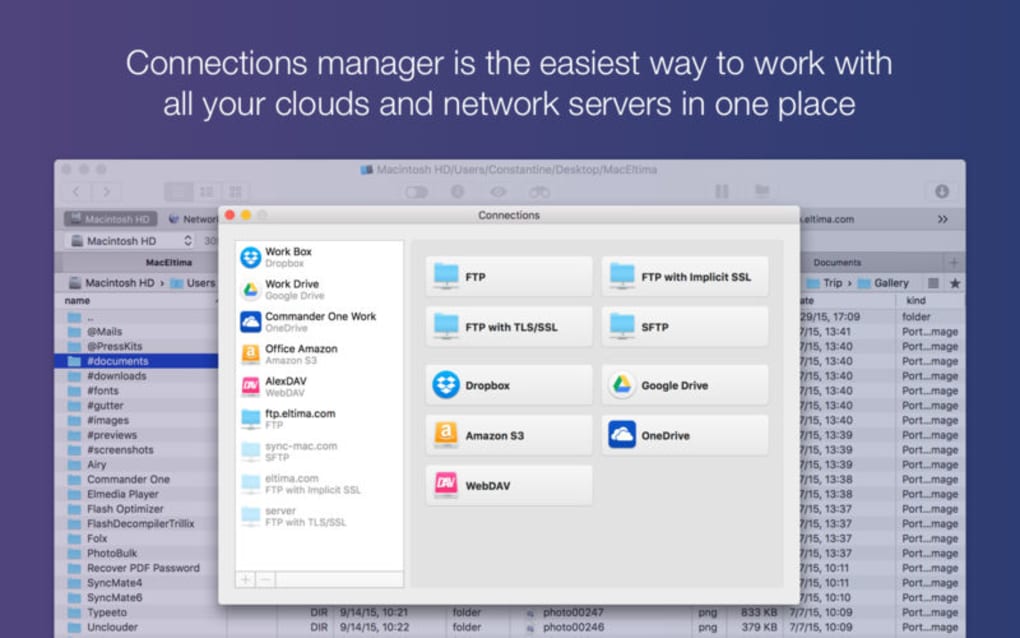
Beyond the basics, Commander One PRO includes built‑in support for mounting and browsing remote servers via FTP, SFTP, WebDAV, and Amazon S3. Archive handling is another strong point: the tool can create and extract ZIP, TAR, GZIP, BZIP2, 7z, and ISO files directly from the interface, removing the need for third‑party utilities. For users who work with cloud services, native integration with Google Drive, Dropbox, and OneDrive lets you treat those clouds as regular folders, complete with sync status icons and drag‑and‑drop support.
Security is taken seriously as well. All network connections are encrypted, and the app respects macOS sandboxing, keeping your data isolated from other processes. Regular automatic updates ensure you receive the latest macOS compatibility fixes and feature enhancements without manual intervention. Whether you’re a developer who needs quick access to project directories, a designer juggling large media assets, or an IT professional managing multiple servers, Commander One PRO offers a flexible, secure, and efficient environment for daily file operations.
Key Features of Commander One PRO
- Dual‑Panel Interface: Work with two folders simultaneously, copy/move files with a single drag, and keep your workflow visible at all times.
- Unlimited Tabs & Customizable Layouts: Open as many tabs as needed, choose from list, column, or thumbnail view, and save your preferred pane arrangement.
- Hotkey Engine: Assign keyboard shortcuts to any command, including custom scripts, to accelerate repetitive tasks.
- Remote Server Access: Connect to FTP, SFTP, WebDAV, and Amazon S3 servers directly from the panel, with secure encrypted connections.
- Cloud Integration: Seamlessly mount Google Drive, Dropbox, OneDrive, and other cloud storage providers as local folders.
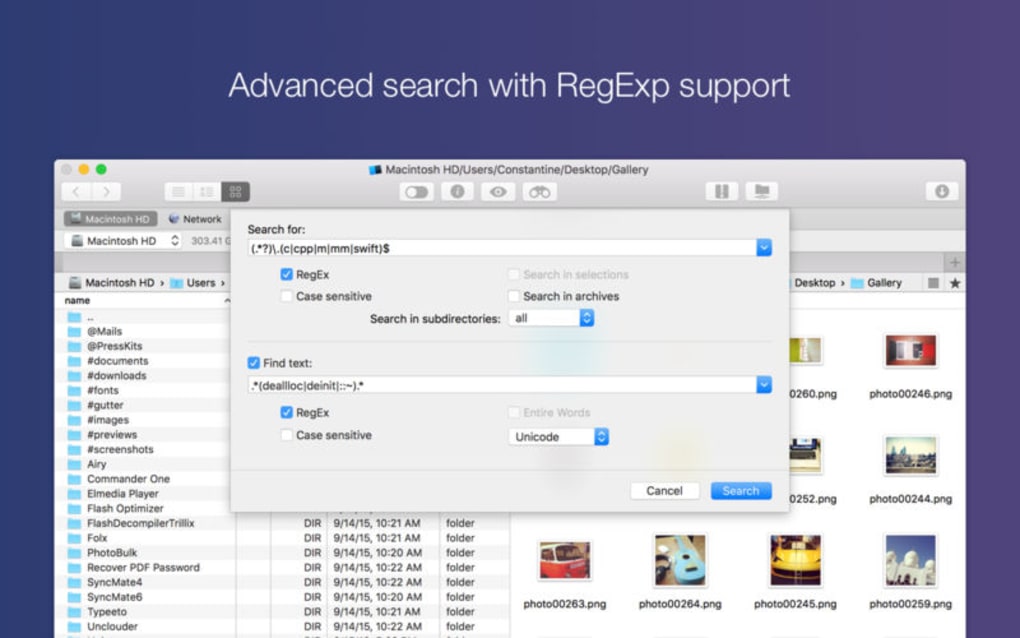
- Advanced Archive Management: Create, extract, and preview ZIP, TAR, GZIP, BZIP2, 7z, ISO, and more without leaving the application.
- Batch Renamer: Rename groups of files using patterns, sequential numbering, or metadata-driven rules.
- File Preview & Quick Look: Preview most file types instantly, including images, PDFs, and code files, with a built‑in Quick Look pane.
- Permission & Ownership Editor: Modify POSIX permissions, ACLs, and file ownership from the context menu.
- Secure Deletion: Overwrite files with multiple passes to ensure they cannot be recovered.
Installation, Usage & Pros/Cons
Getting Commander One PRO up and running is straightforward. After purchasing a license on the official website, you receive a signed .dmg file. Double‑click the .dmg, drag the Commander One PRO icon into your Applications folder, and launch the app. The first run triggers a one‑time activation dialog where you paste your license key. macOS may ask you to confirm that the app is from an identified developer; simply approve it in System Preferences → Security & Privacy.
Once installed, the welcome screen guides you through initial configuration: choose your default view mode, set up preferred hotkeys, and connect any cloud accounts you wish to integrate. The interface is intuitive—left and right panels can be resized, and you can open a new tab by pressing ⌘+T or clicking the plus icon. To copy files, select them in the left pane, press ⌘+C, then navigate to the right pane and press ⌘+V. All standard macOS shortcuts work, and you can customize additional actions via the Preferences → Hotkeys menu.
Below is a quick look at the strengths and weaknesses that real users have reported after extensive testing:
Pros
- Lightning‑fast navigation even with thousands of files.
- Rich set of built‑in tools eliminates the need for separate utilities.
- Full macOS integration – respects native permissions, Touch Bar, and Dark Mode.
- Secure, encrypted connections for remote servers and cloud services.
- Highly customizable interface that adapts to personal workflow preferences.
Cons
- Price point may be a barrier for casual users (one‑time license required).
- Advanced features like SFTP require manual configuration of SSH keys for some servers.
- No native Windows or Linux version – Mac‑only tool.
- Initial setup of hotkeys and cloud accounts can feel overwhelming for beginners.
- Occasional UI lag when loading extremely large archives (e.g., multi‑gigabyte 7z files).
Commander One PRO runs on macOS 10.15 Catalina and later, including macOS 11 Big Sur, macOS 12 Monterey, and macOS 13 Ventura. The application is optimized for both Intel‑based Macs and Apple Silicon (M1/M2) devices, delivering native performance on the latest hardware.
Frequently Asked Questions & Conclusion
Is there a free trial available for Commander One PRO?
Yes, the developer offers a 14‑day free trial that includes all premium features. You can download the trial version from the official website without providing payment details; a license key is only required to continue using the software after the trial expires.
Can Commander One PRO handle encrypted archives?
Absolutely. The archive manager supports password‑protected ZIP and 7z files. When you attempt to open an encrypted archive, a prompt appears asking for the password, after which the contents are displayed and can be extracted normally.
Does Commander One PRO sync changes made to cloud folders automatically?
Yes. Once a cloud service (Google Drive, Dropbox, OneDrive) is linked, any file operation—copy, move, rename, or delete—is instantly synchronized with the cloud provider’s servers, ensuring that your remote storage stays up‑to‑date.
Is Commander One PRO compatible with Apple Silicon Macs?
Yes. The application is compiled as a universal binary, which means it runs natively on both Intel and Apple Silicon (M1/M2) Macs, delivering optimal performance without Rosetta translation.
How does the licensing work – is it a one‑time purchase or subscription?
Commander One PRO is sold as a one‑time perpetual license. You receive a license key that unlocks the full feature set for life, and you also get free updates for at least one major macOS version after purchase.
In summary, Commander One PRO is a robust, feature‑rich file manager that transforms the way macOS users interact with files, archives, and remote resources. Its dual‑panel design, extensive hotkey support, and native cloud integration make it a compelling upgrade over Finder for anyone who needs speed, precision, and advanced control. While the price may deter casual users, the productivity gains and security features justify the investment for professionals and power users alike.
Ready to streamline your Mac workflow? Click the download button below to start your free trial, and experience a faster, more organized file management system today.







